UX / UI Case Study · Mobile Application · AI-First Design
Treppan Living
Redesigning a real estate app from the ground up —
breaking every rule of conventional onboarding to build
something genuinely AI-first.
Role
Product Designer
Platform
Mobile (iOS / Android)
Focus
Login · Onboarding · Design System
Location
Dubai
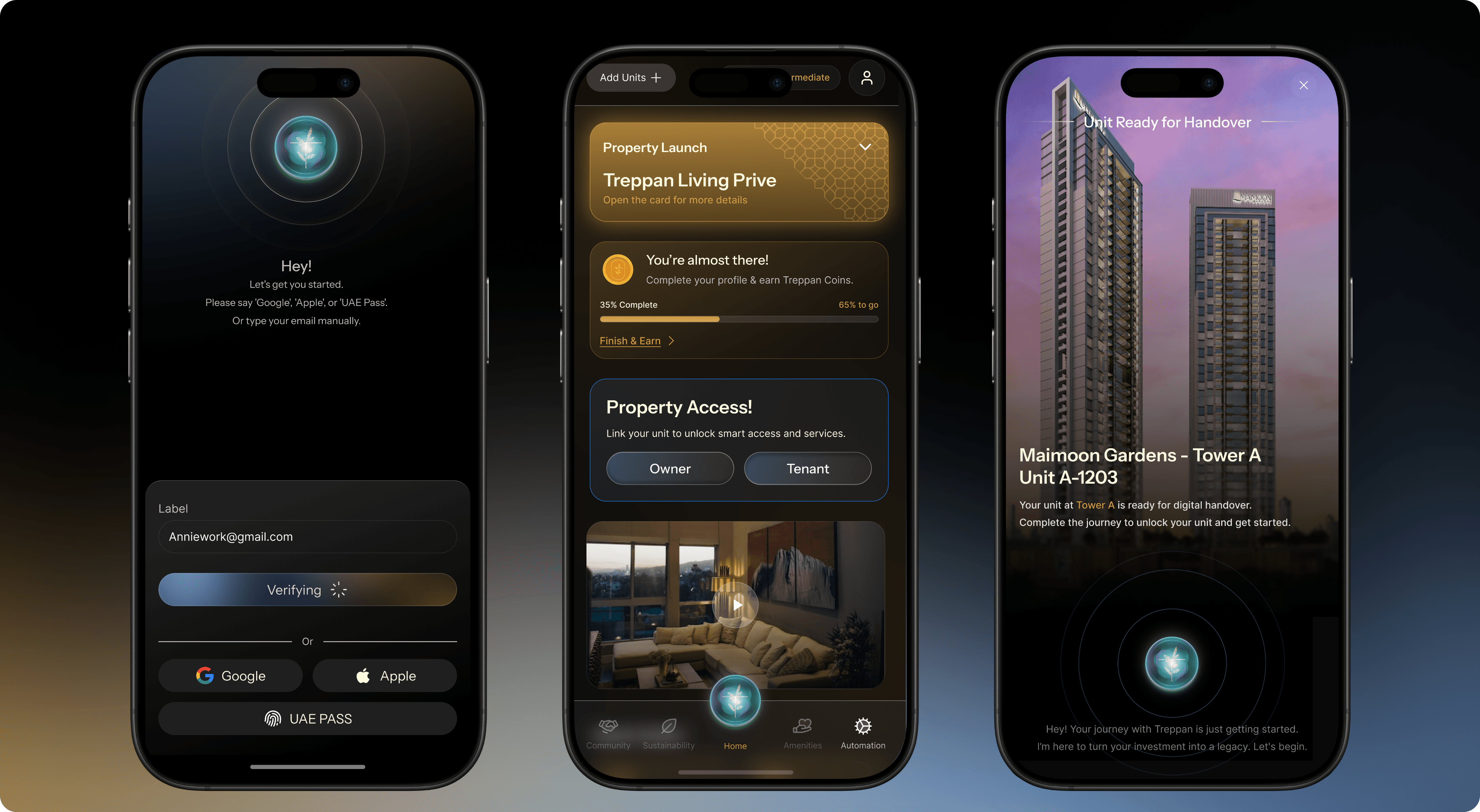
The client said: "We want AI-driven Futuristic. Break every rule of a regular login flow."
|I said: challenge accepted, then I opened the current app. and I was like 😵
01 — Problem & Context
The brief sounded exciting.
The app looked... less so.
Treppan Living is a modern real estate and lifestyle platform built around the idea that
where you live should reflect who you are — smart, sustainable, community-first. The
product lives in Dubai, a city that literally has a sky full of ambition. When the team said
they wanted the app experience to match that ambition, they weren't kidding.
The brief had two clear mandates. One — revamp the entire experience into something
AI-driven and futuristic. Not AI as a feature. AI as the personality of the product. Two —
fix the UX and flow gaps in the current application that were quietly making users
miserable.
"AI-driven and futuristic" is one of those briefs that
sounds exciting until you sit down with it. It's vague in
the best and worst way. It gives you freedom, but it also
means there's no obvious reference to pull from. You can't
just Dribbble search "futuristic AI login" and call it a day.
02 — Research & Discovery
Five UX crimes
that had to end.
Before touching Figma, I did what every designer should do and most designers skip
when they're excited: I actually used the current app. Deeply. Not a heuristic checklist
pass — a proper sit-down-and-feel-the-pain session.
What I found wasn't a list of bugs. It was a pattern of decisions that had accumulated
over time, each one small enough to seem acceptable, together creating an
experience that felt like running through wet concrete.


LN (EN)
Sign up now to access all features and benefits.
Terms of Service & Privacy Policy
Already have an account? Sign In
Generate OTP

Sign Up
Sign in with UAE Pass

Sign in with Google


LN (EN)
Enter the OTP received on your registered email ID to verify your account.
Sign In
Reset Your Password
Forgot Password?
Enter New Password
Enter Confirm Password
LN (EN)
Password
Sign in to continue to your account
Terms of Service & Privacy Policy
Don’t have an account? Sign Up
Sign In
Welcome Back
Sign in with UAE Pass
Sign in with Google
LN (EN)
Password
Sign in to continue to your account
Forgot Password?
Terms of Service & Privacy Policy
Don’t have an account? Sign Up
Sign In
Welcome Back
Remember me?
Sign in with UAE Pass
Not Now
Enable
Enable faster Login?
Would You Like to enable biometric for faster login in the future
You Can always enable or disable this in profile later.
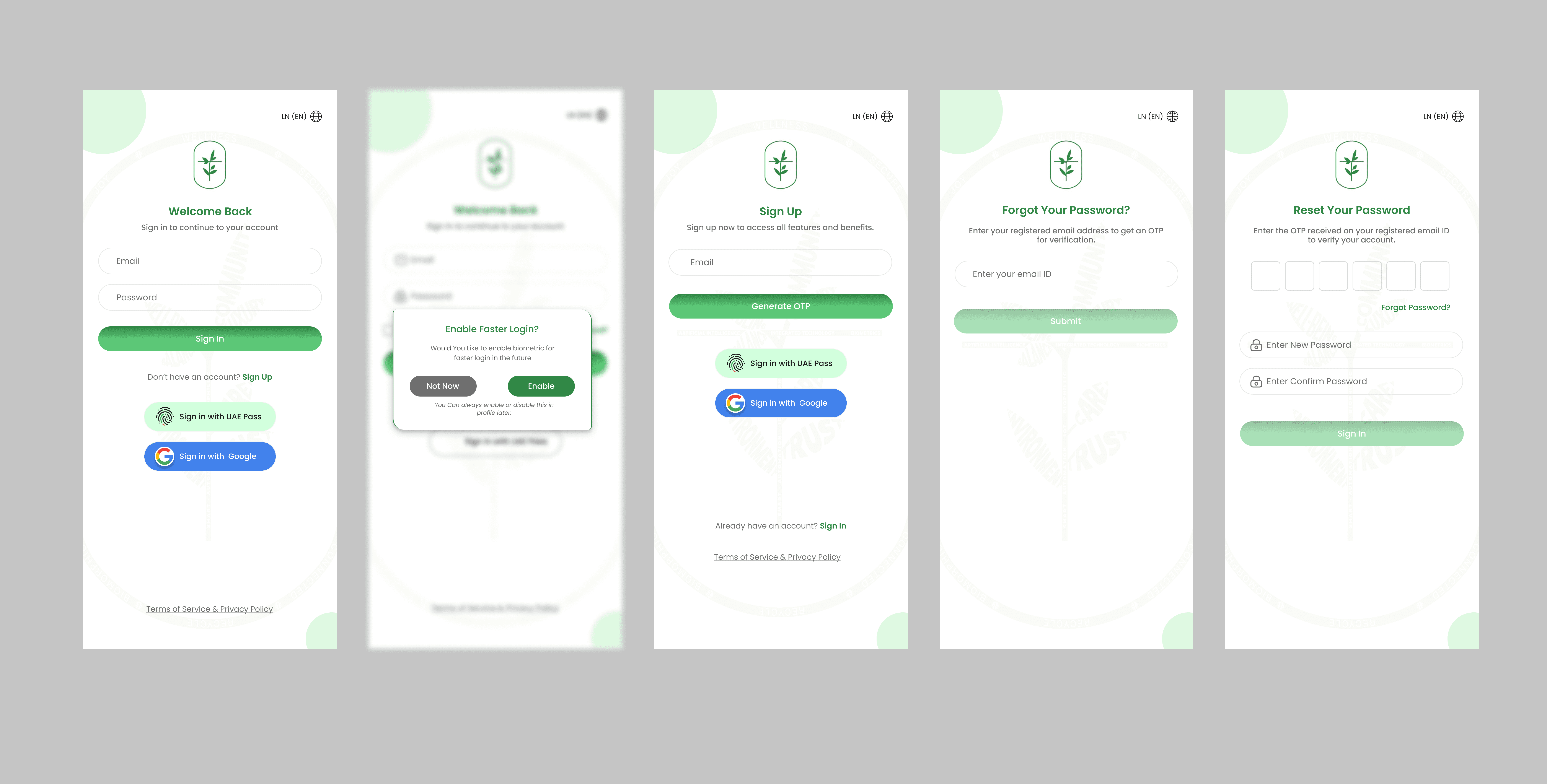
No Validation for Wrong Passwords.
A user types the wrong password. Nothing explains what went wrong. No error state. No
message. Just silence. In 2024, this is the UX equivalent of a restaurant that doesn't tell
you what's on the menu.
UX Copy That Read Like a First Draft
Instructions that weren't instructive. Labels that didn't label. Copy written for the
developer who built the feature, not the person who would use it.
Face ID Before
First Login
The app asked for biometric trust from someone who hasn't yet decided if they trust
you at all. Cart before the horse is generous — this was the cart before the horse before
the stable even existed.
OTP + New Password on the Same Screen
Two completely different cognitive tasks crammed onto one screen. This isn't
efficiency. This is confusion cosplaying
as design.
The Forget Password Paradox
The app asked users if they forgot their password while they were already on the
Change Password screen. If they're there — they know they forgot it. That IS the
acknowledgement. Why ask again?
The audit gave me something valuable: a clear axis for the redesign. On one end, fix
the broken fundamentals. On the other, build something that feels genuinely new. The
challenge was making both ends feel like the same product.
03 — Design Process & Iterations
Where the real
story lives.
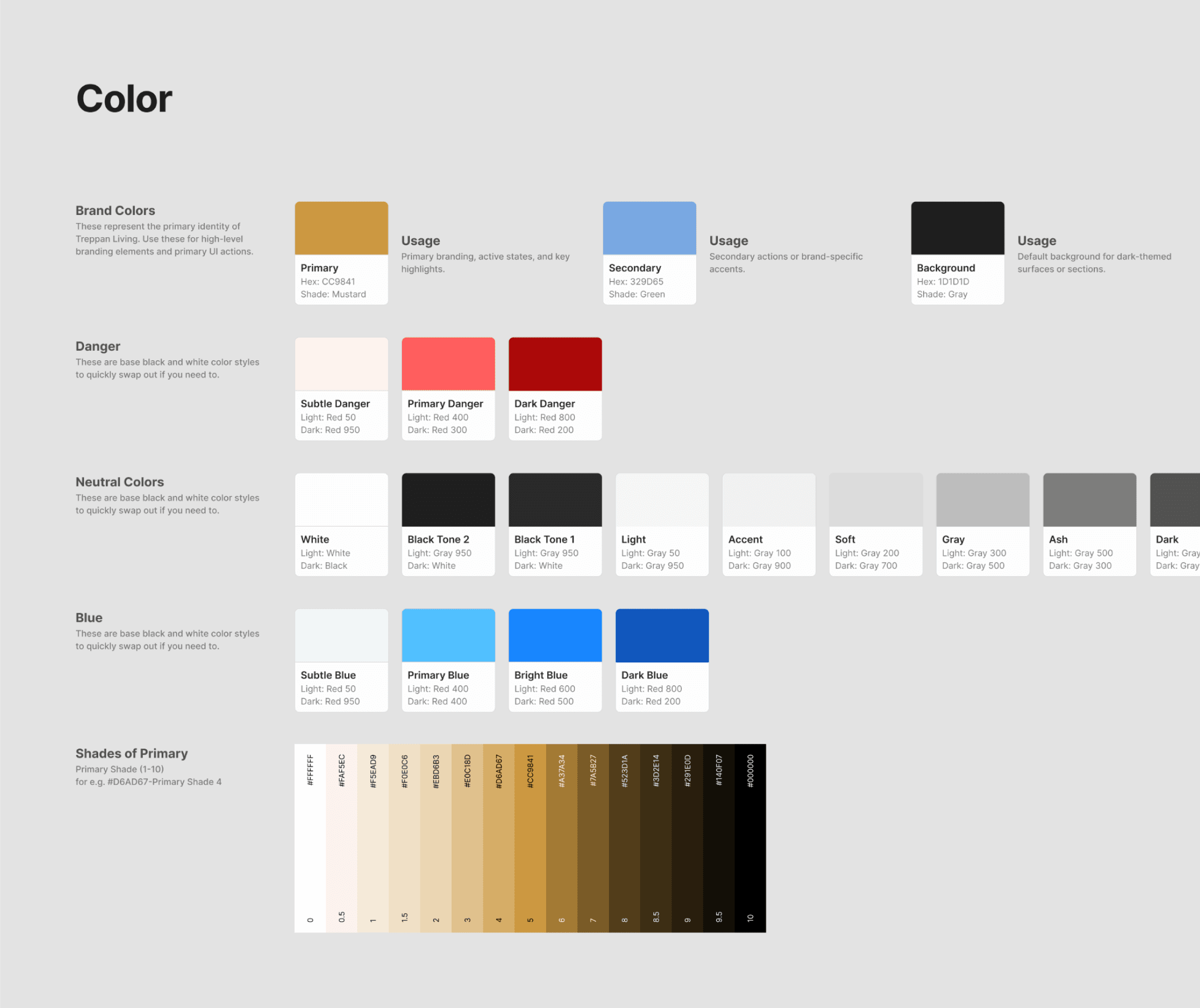
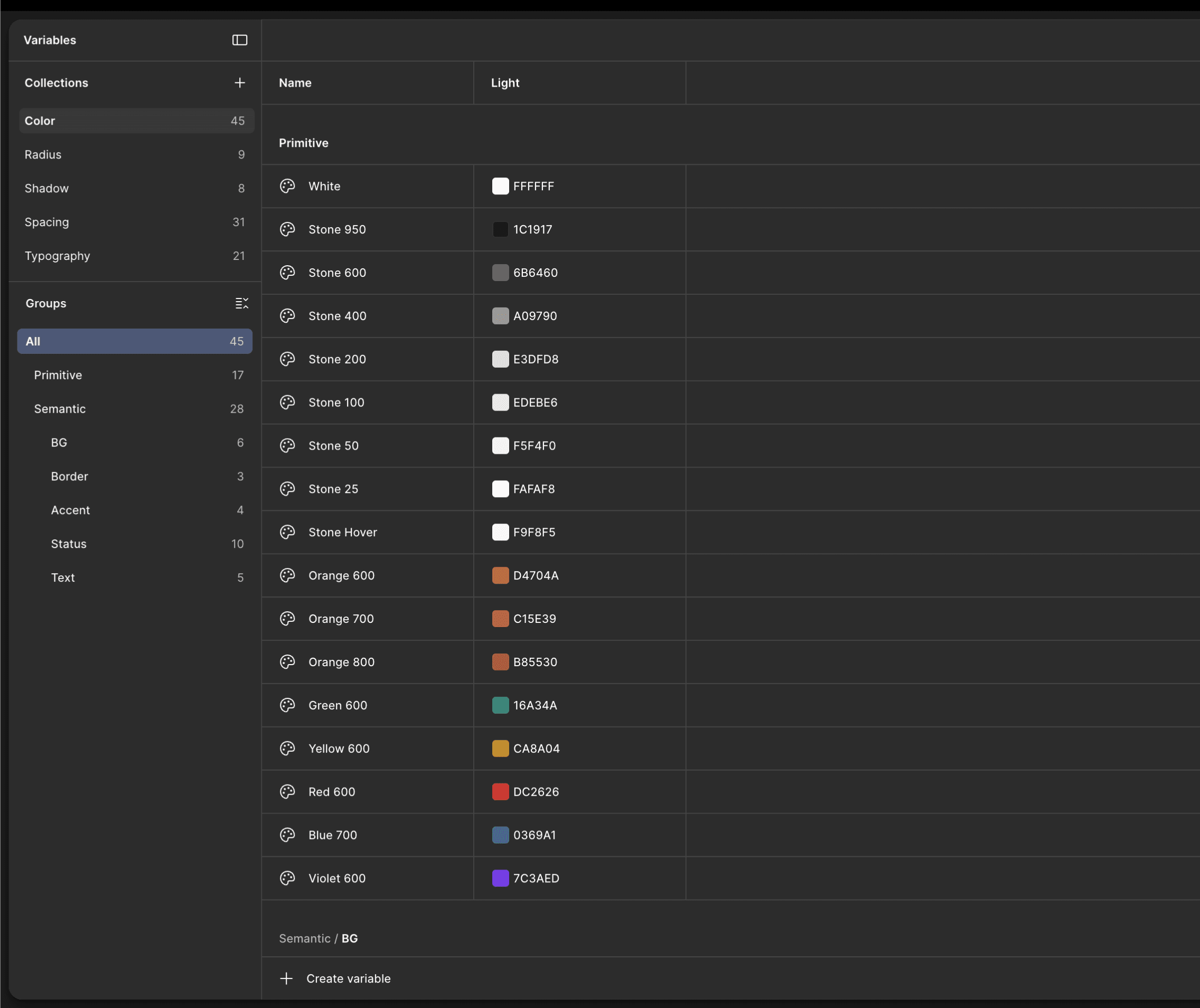
The Style Guide: Dark Mode Wasn't Just Aesthetic
The first decision — and it was a real decision, not a default — was to go dark. Not
because it's trendy. Not because every "premium" app does it. Dark because Treppan's identity lives in the mood of Dubai at night: the glow of the skyline, the warmth of gold against deep sky, the sense that something important is happening and you're part of it.

⚡ BEHIND THE SCENES
We tried to use the exact brand colors. The contrast ratios failed. Brand gold on dark
surfaces looked beautiful and completely unreadable — which is not the vibe when you're
trying to get people to, you know, read things. So instead of forcing a broken palette or
abandoning the brand entirely, I stayed in the same color family and found the version
that actually works. Sounds obvious. Takes discipline.
Rethinking Login — From Flow to Experience
Once the visual language was set, I came back to the hardest question:
what does an
AI-first login actually feel like?
Not "what does it look like" — that's the easy part.
What
does it feel like?
I started with a provocation for myself: if the AI is the product's personality, it shouldn't
just live inside the dashboard. It should be the first thing you meet.
💡 Idea 1 — Home Soul as Guide, Not Gate
Instead of a login screen that says "Enter email. Enter password. Click login." — what if the AI
introduces the app? What if it speaks to you, briefly, and tells you what Treppan is about
before asking anything of you? This serves two purposes: it's a genuine AI-first moment, and it
gives new users context without a boring splash screen.
Pehli mulakat aachi honi chahiye.
🤖 Idea 2 — AI Assistance at Every Step
The AI doesn't introduce itself and then disappear. At each step of login — entering
credentials, handling errors, switching methods — Home Soul is present. Not intrusive. Not
chatty. Just there, like a good concierge who appears when you need them and disappears
when you don't.
🎙️ Idea 3 — Voice Input Triggers
The idea I was most excited about — and most nervous about. Users can say things like "Login
with Google" or "Login with Apple" instead of tapping a button. Why does this matter? Because
it's not just a feature. It's a demonstration. In a single gesture, the user understands that this
AI is actually capable of something. Not a gimmick — a trust-builder.
🌱 Idea 4 — Onboarding as Values Introduction
Before asking a user to hand over credentials, show them what Treppan stands for:
Sustainability. Green Energy. Community. Environment. These aren't marketing bullets — they're
the reason someone would choose Treppan over any other property app. This is who we are.
Now let's get you in.
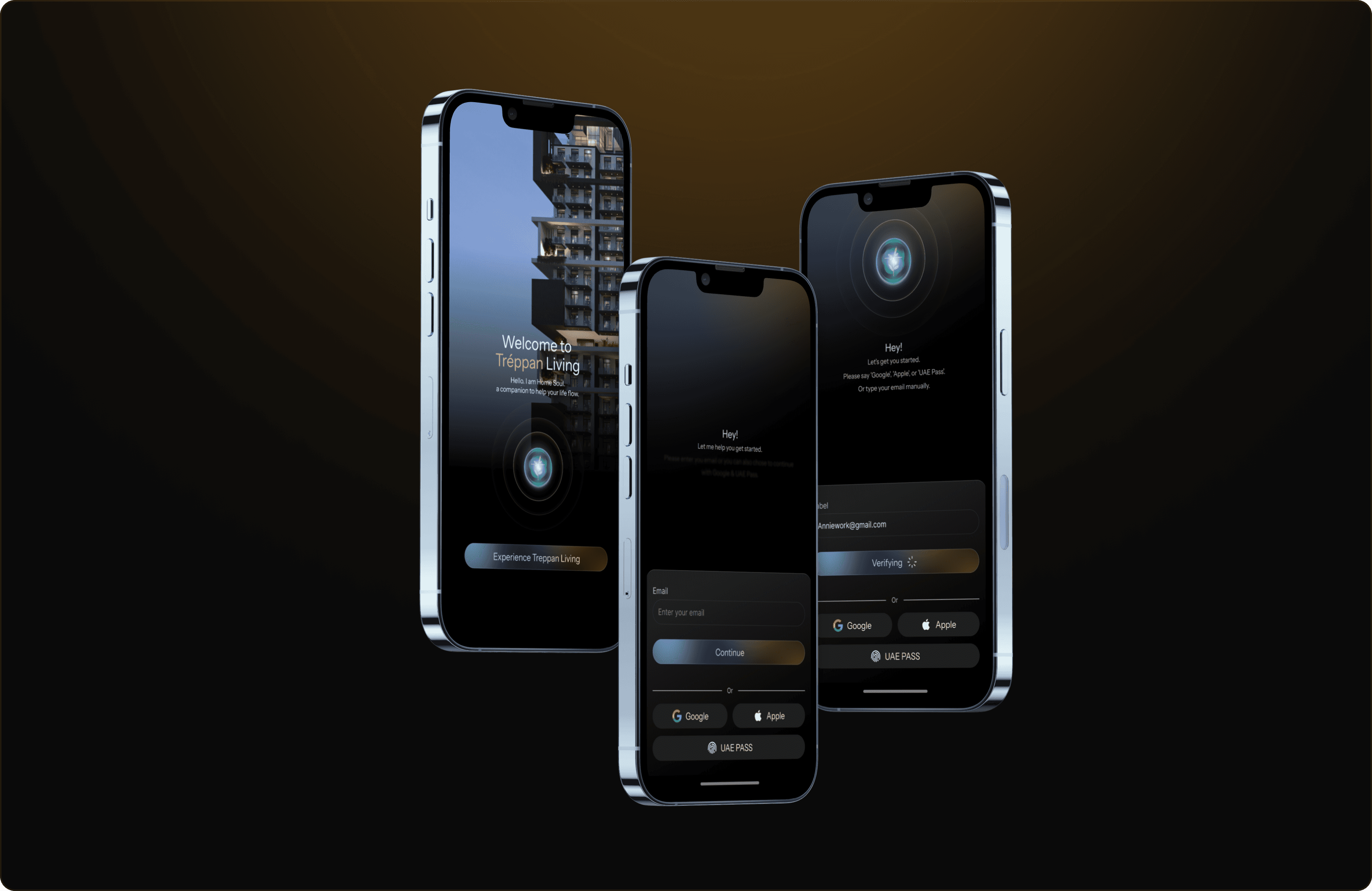
The UI Screens — And Why My Job Didn't End There
"A designer's job doesn't end at the final screen. I've seen
too many handoffs where a designer drops a Figma link,
waves goodbye, and then watches developers implement
something that looks like the design passed through
three rounds of telephone."
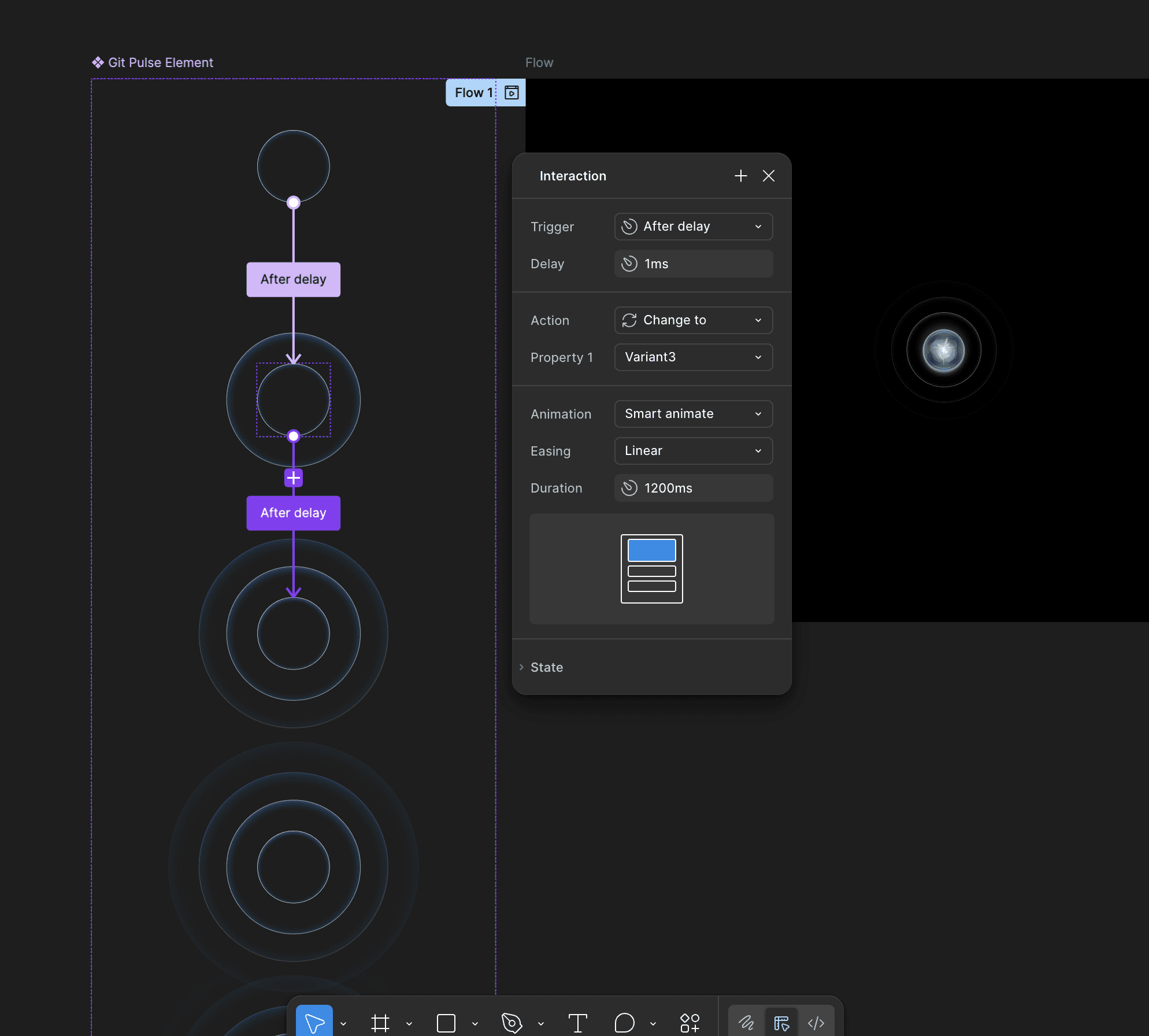
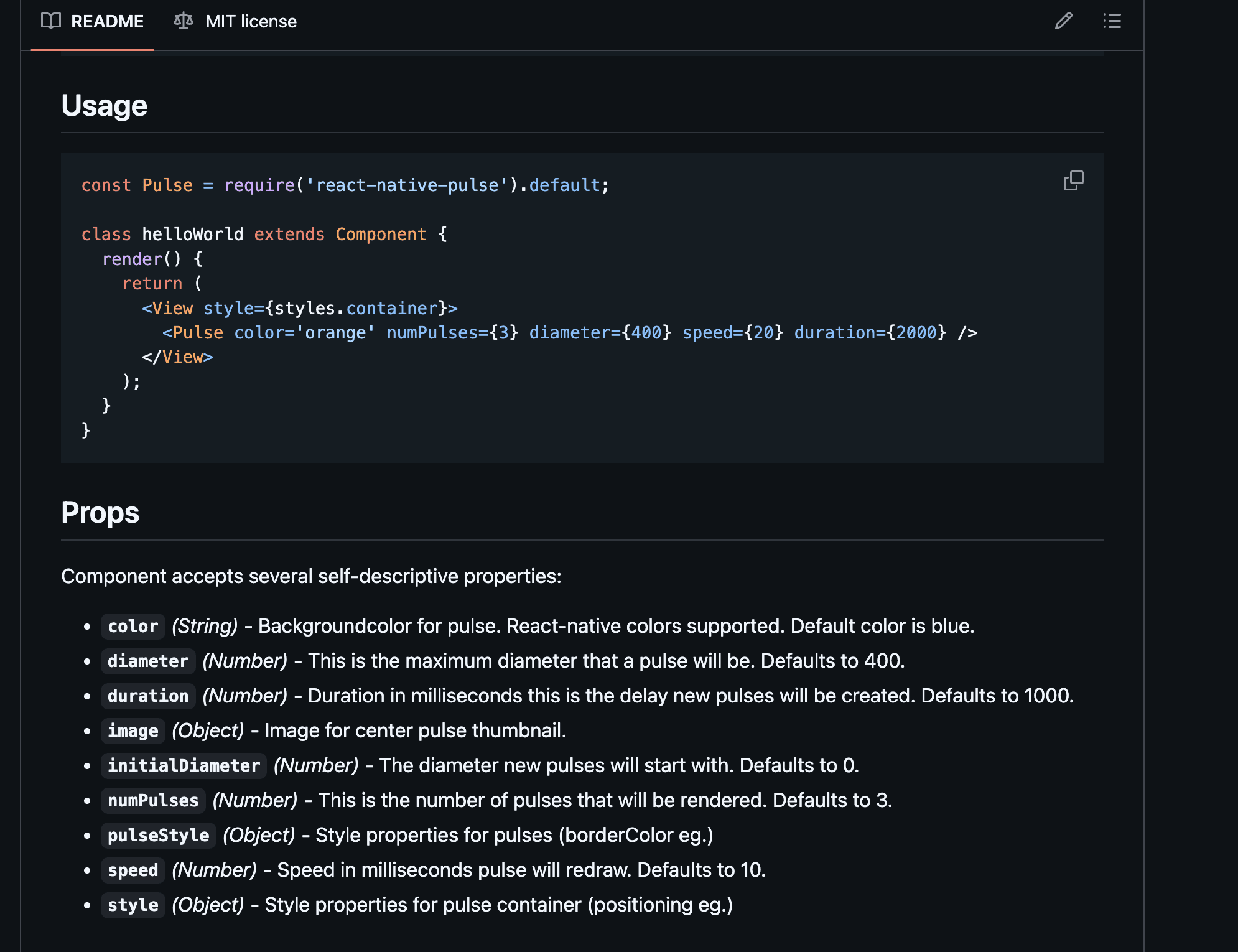
So for Treppan, I went further. The Home Soul orb isn't just a static circle with a
gradient. It breathes. I mapped out the exact animation behavior: the speed of the
pulse, the easing curve, the scale range. Too fast and it's anxious. Too slow and it's
boring. We found the rhythm that felt like intelligence quietly thinking.
When Home Soul speaks, text appears. And how that text appears matters enormously.
I specified: Fade-in per word (not per character — that's slow and overdone), a
comfortable 300ms fade, a soft fade-out when the next line comes in. The text
animation is the personality of the AI.
⚡ BEHIND THE SCENES
I didn't just describe animations in comments. I stayed in constant communication with
the dev team. I wrote out animation specs. I recorded reference videos. I flagged when
implementations were off and explained why they were off, not just that they were.
Designer ka kaam sirf screens banana nahi hota.
04 — Design System
Before screens,
build the language.
Here's something I believe deeply: a design system isn't a deliverable. It's a decision
framework. Every component you build is a small contract — with the developer, with
the user, and with your future self at 11pm when the stakeholder asks for "just one more
variant."
Before a single app screen was designed, I built the foundation in Figma. Not as an
afterthought. Not as a cleanup exercise at the end. From the very start — because the
quality of everything downstream depends entirely on how solid the ground beneath it
is.
"A design system isn't just about consistency. It's about
speed with confidence. Once the system exists, every new
screen is an assembly problem, not a creativity problem."
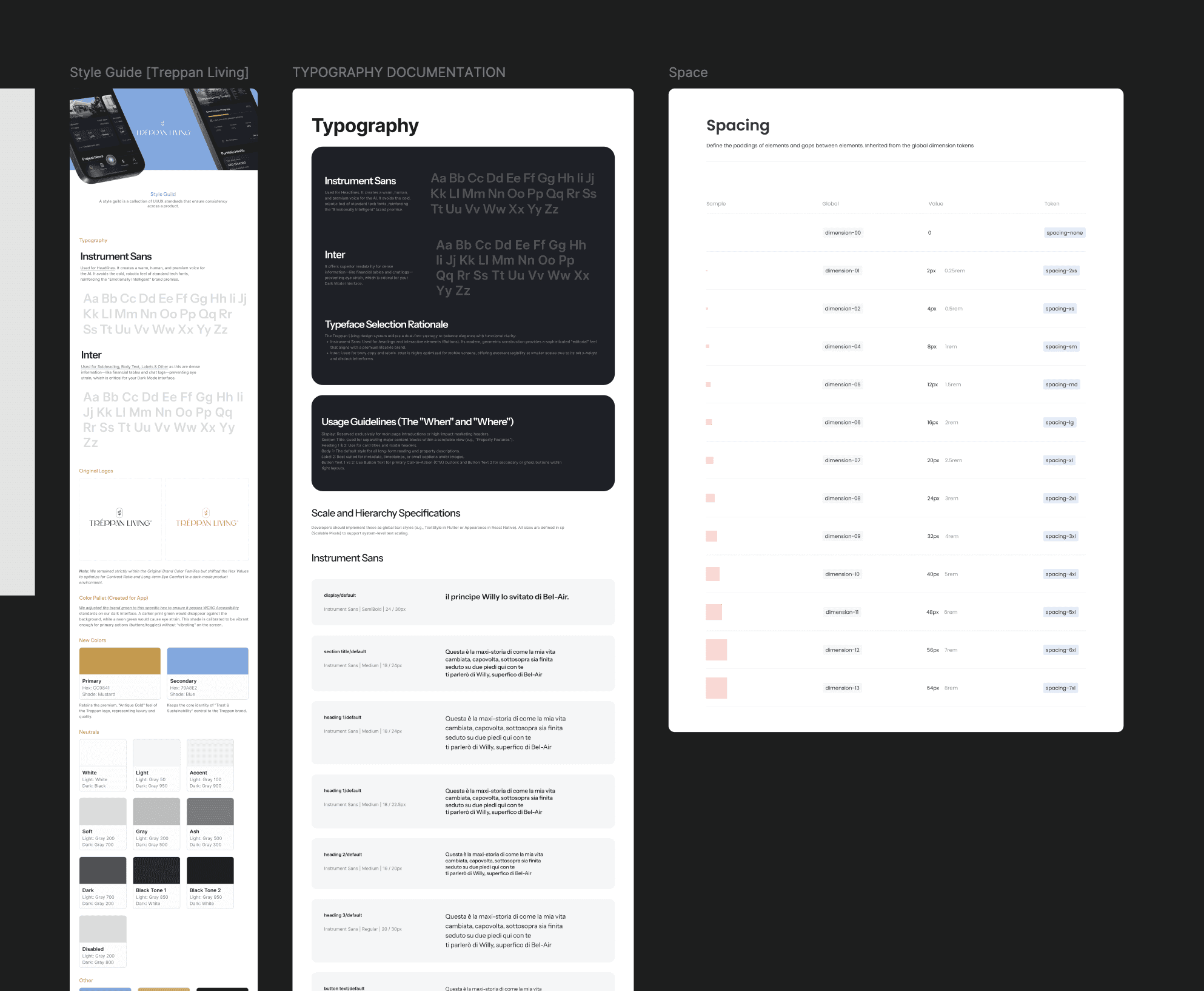
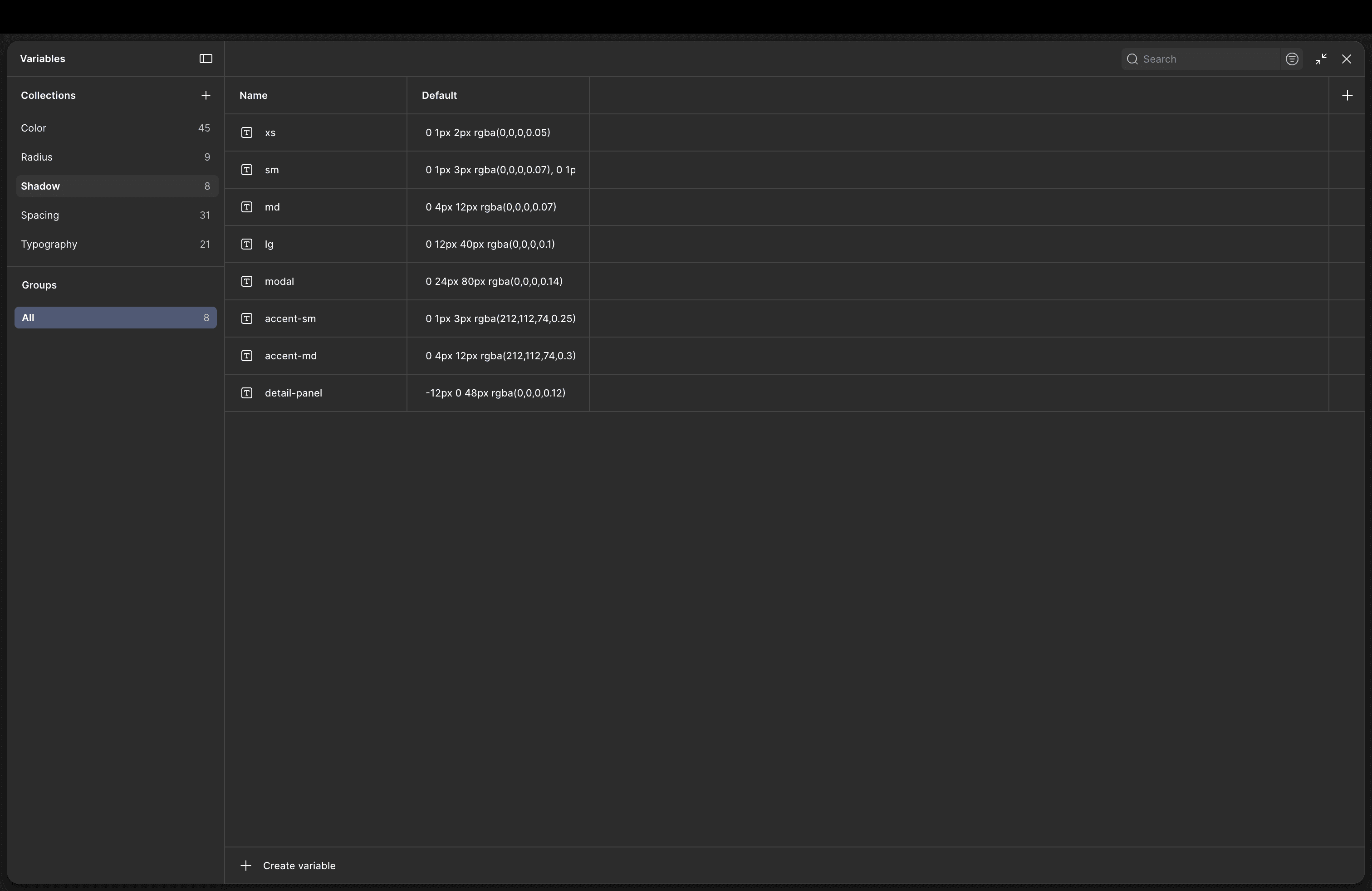
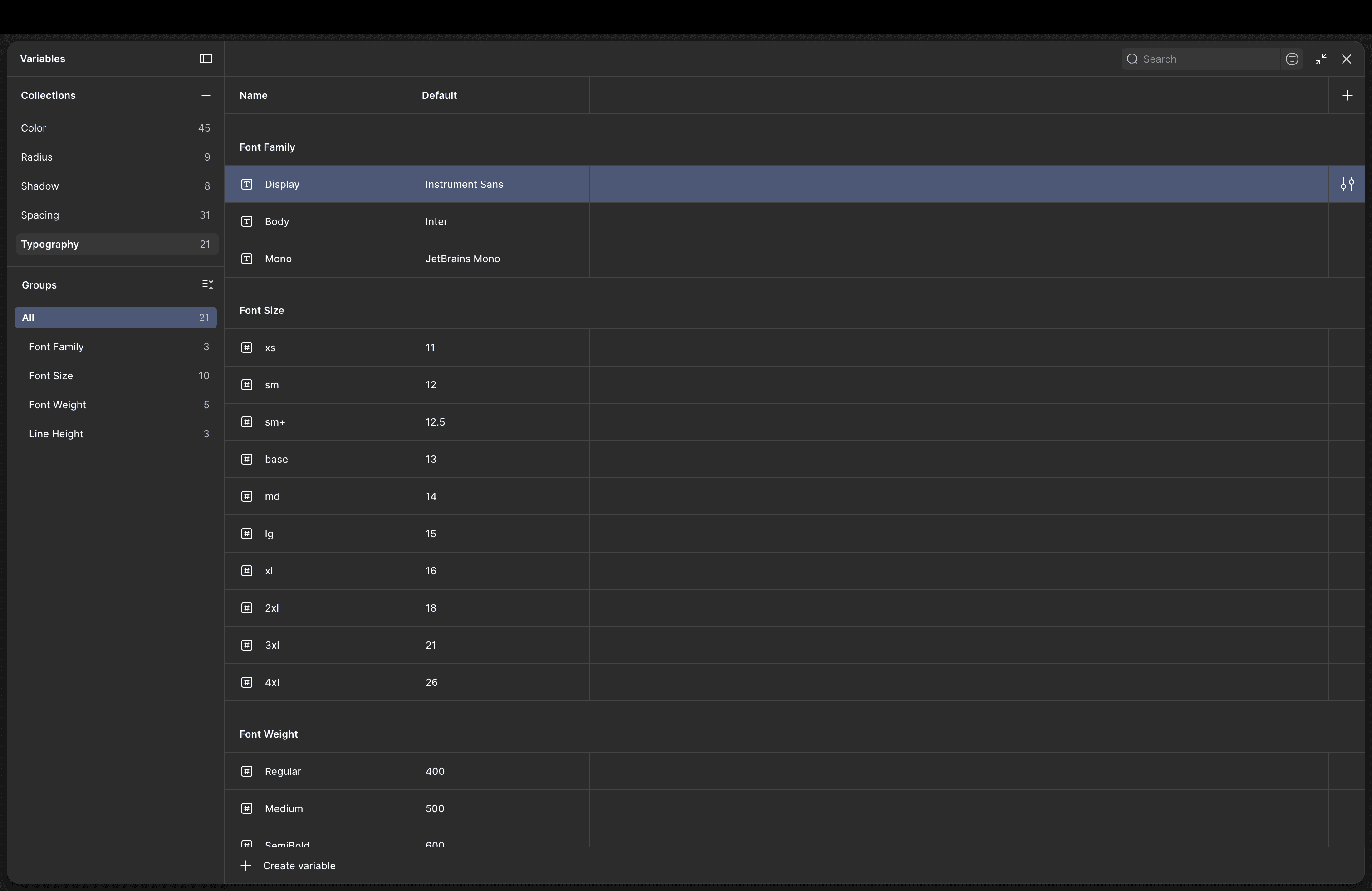
Tokens First — Color & Typography
The system starts where all systems should: at the token level. Every color in the
product — from the primary gold
#CC9841
to the subtle surface backgrounds — is
defined as a named token, not a hardcoded value. This means when a color needs to
change (and it always does, somewhere, at some point), you change it once and it
propagates everywhere.
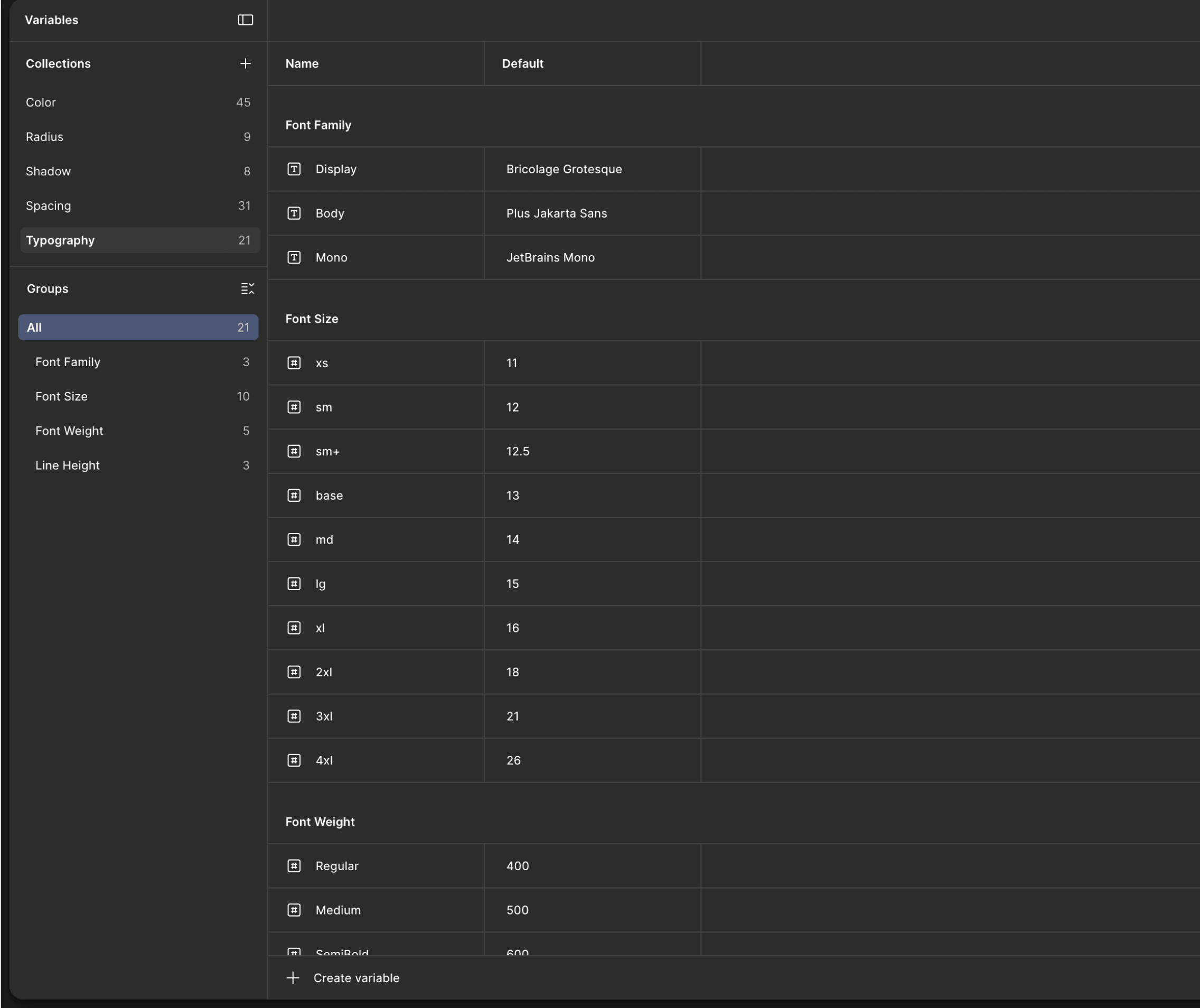
Same principle for typography. Instrument Sans and Inter aren't just font choices —
they're defined as semantic tokens:
heading/xl
,
body/default
,
label/small
. A
developer doesn't need to guess whether the card title uses 16px or 17px. The token
says. The token is the source of truth.
The Component Library — Built to Behave
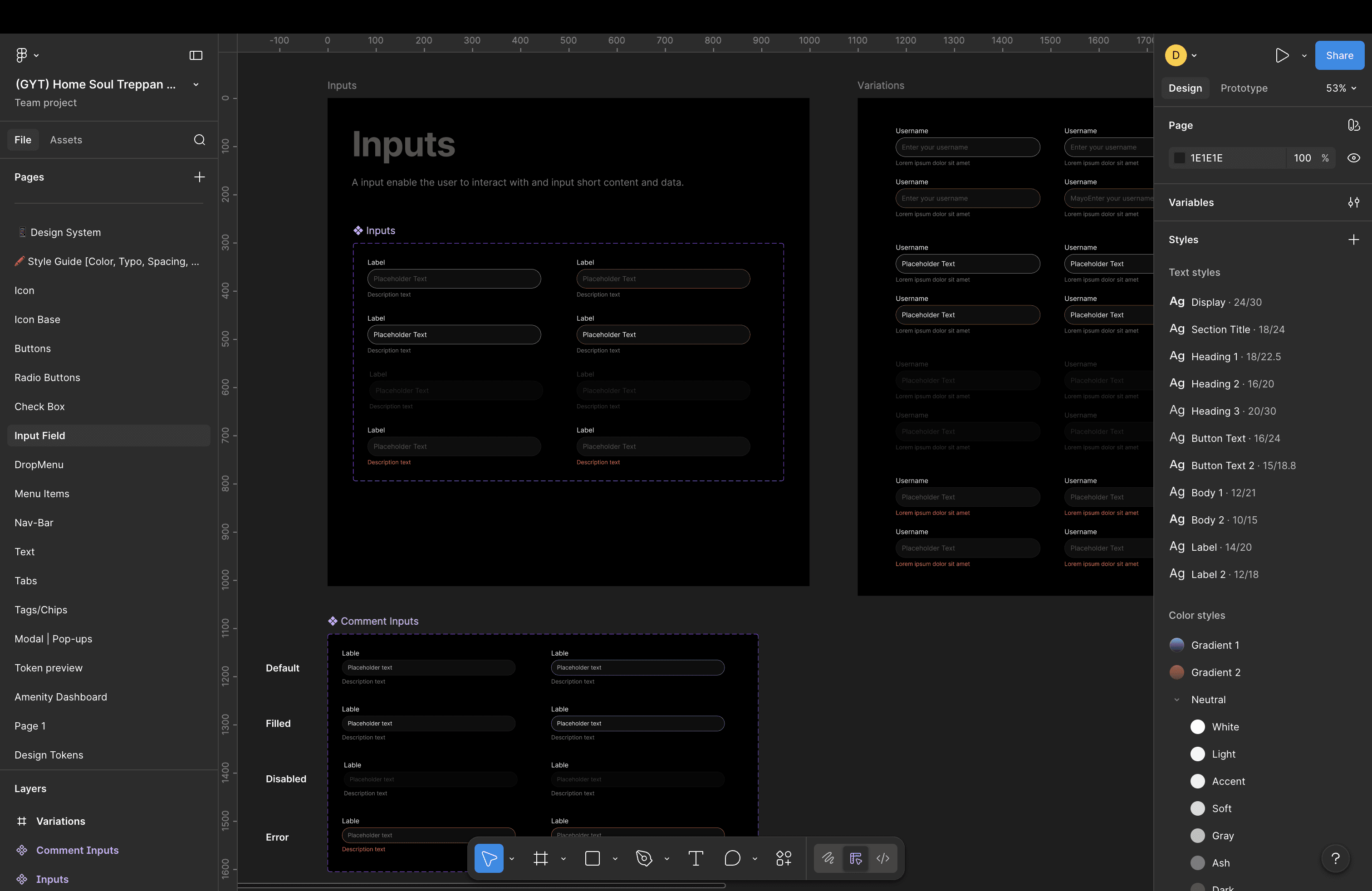
Buttons, inputs, cards, chips, modals, navigation bars — every recurring element has a
home in the component library. But here's the part most designers skip:
I didn't just
design how components look. I designed how they behave.
Every interactive component has its full state set mapped out — Default, Hover,
Focused, Filled, Disabled, Error, Loading. This matters because the error state of a text
input is not an edge case. It's one of the most critical moments in the entire UX. And if
it's not designed, a developer will invent it — and they will not invent what you would
have designed.
Default
Resting state. Visible but not
demanding attention.
Hover / Focus
Subtle gold border glow. The
component acknowledges
you.
Filled / Active
Input has content. Label
floats. State feels owned.
Error
Red border, inline message,
icon. Not just colour — copy.
Disabled
Visually recedes. Not clickable,
but still communicates.
Loading
Skeleton or shimmer. No dead
screens. Always feedback.
⚡ BEHIND THE SCENES
The error state for the password field was the one I spent the most time on — because
this is exactly what the current app was missing. Getting it right felt personal. A bordered
input with a warm red, a helper text line that explains what went wrong (not just that
something went wrong), and an icon that doesn't feel like an alarm.
Chhota cheez, bada
farak.
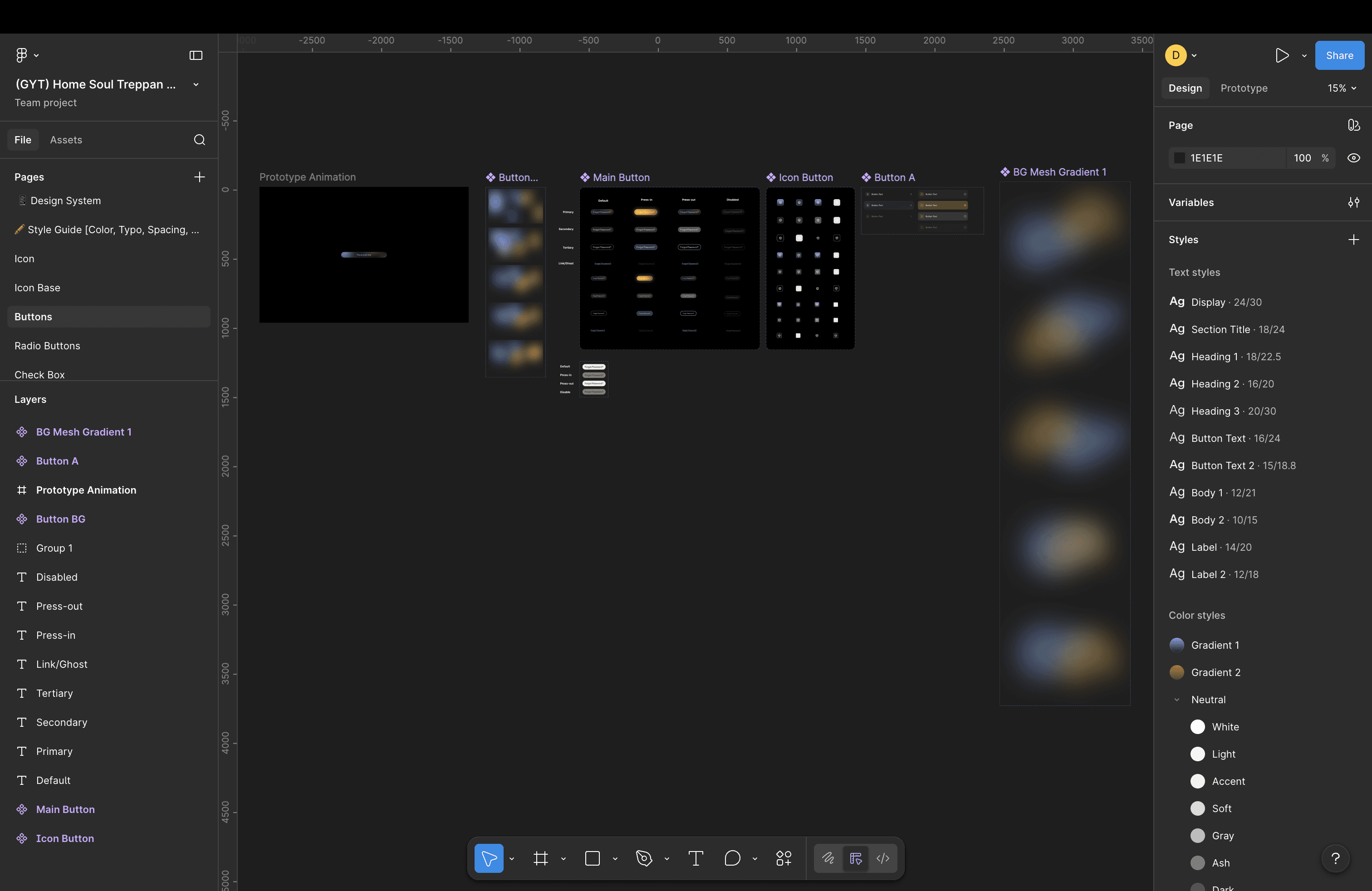
Button Animation Video
05 — Figma Make & Vibe Coding
How I used AI
to design with AI.
There's something appropriately meta about designing an AI-first product using AI
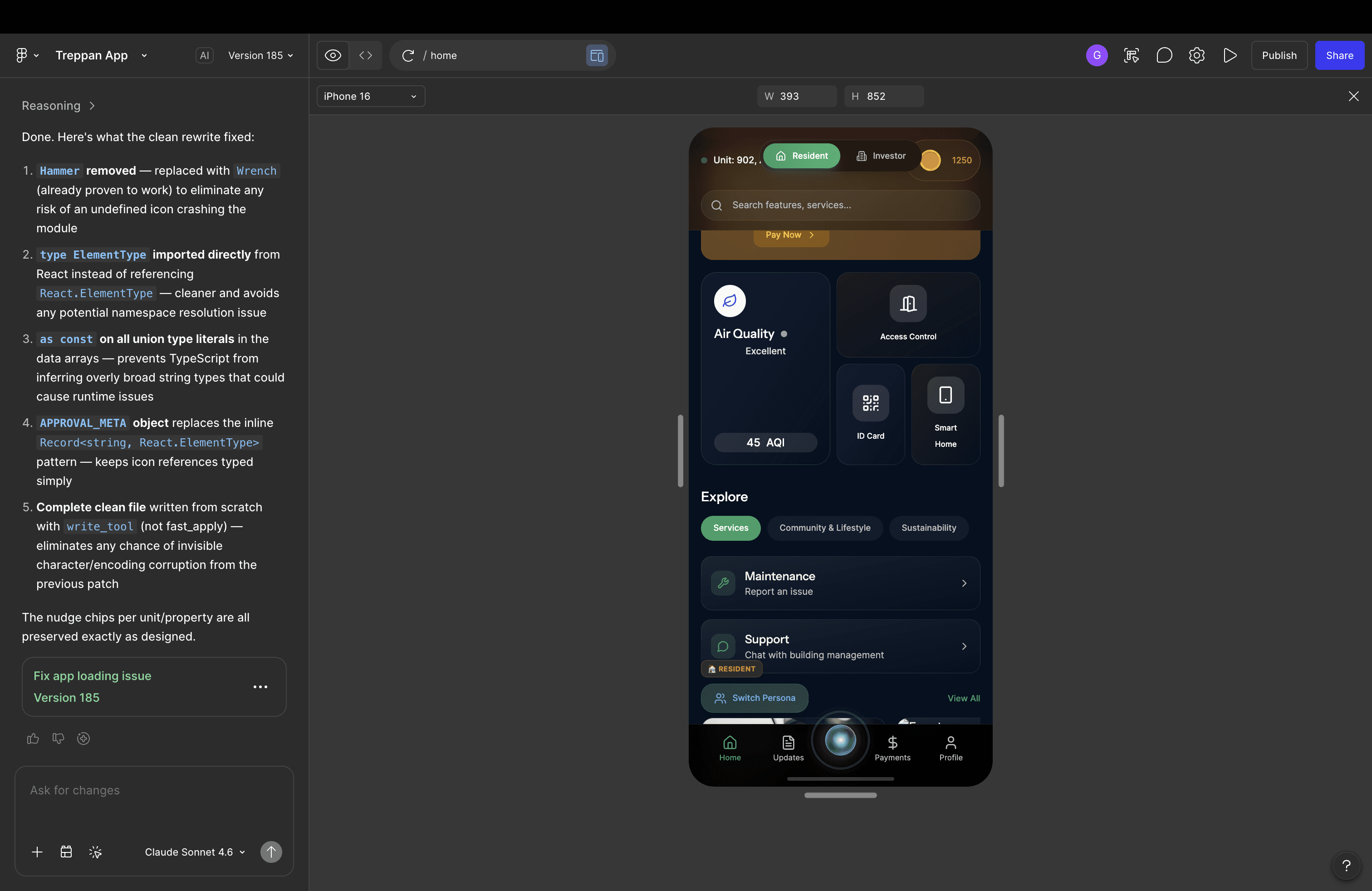
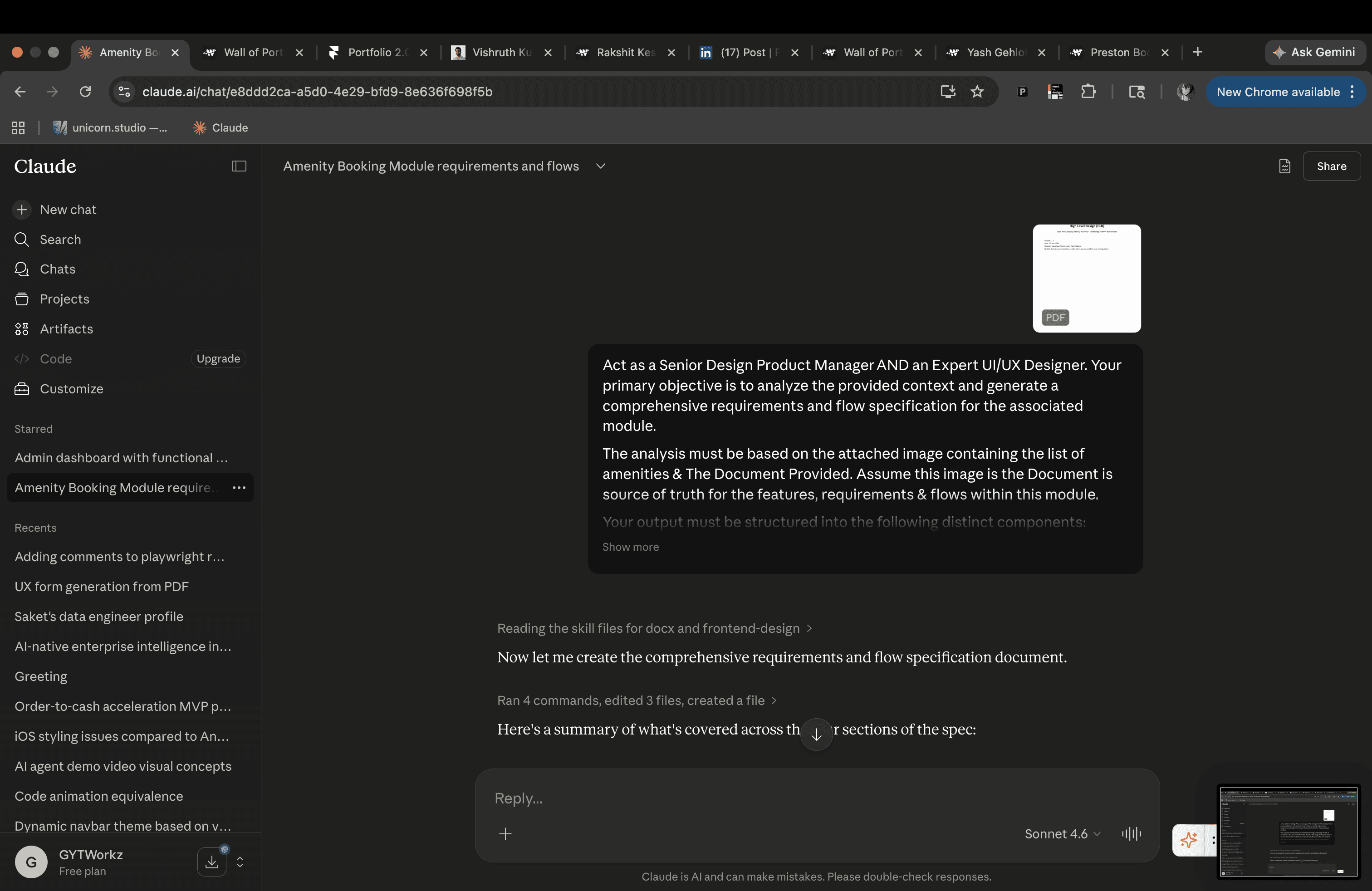
tooling to do it. And that's exactly what happened here — I used Figma Make as a core
part of my process, not as a party trick.
Let me be honest about what this actually looked like. Because the narrative around AI
design tools tends to go one of two ways: either "AI did everything, design is dead 😱" or
"AI is useless, real designers don't need it 🙄". Both are wrong. The truth is messier and
more interesting.
01
Exploration Before Commitment
Early in the project, before committing anything to the actual design system, I used Figma
Make to generate rough screen concepts from prompts. "Dark futuristic onboarding screen
with an AI orb as the hero element." "Login screen where the AI introduces itself before
asking for credentials." This isn't cheating — it's thinking at speed. The outputs gave me
something to react to, which is often faster than staring at a blank canvas.
02
Layout Iteration Without the Tedium
There's a stage in every design project where you need to try 6 layout variations to figure out
which one is right — but doing all 6 manually would take a day. Figma Make compressed that
into an hour. I'd generate variations, identify which spatial logic felt most natural for the dark
theme, and then rebuild the winner properly with the design system tokens in place.
03
Prototypes for Stakeholders — Fast
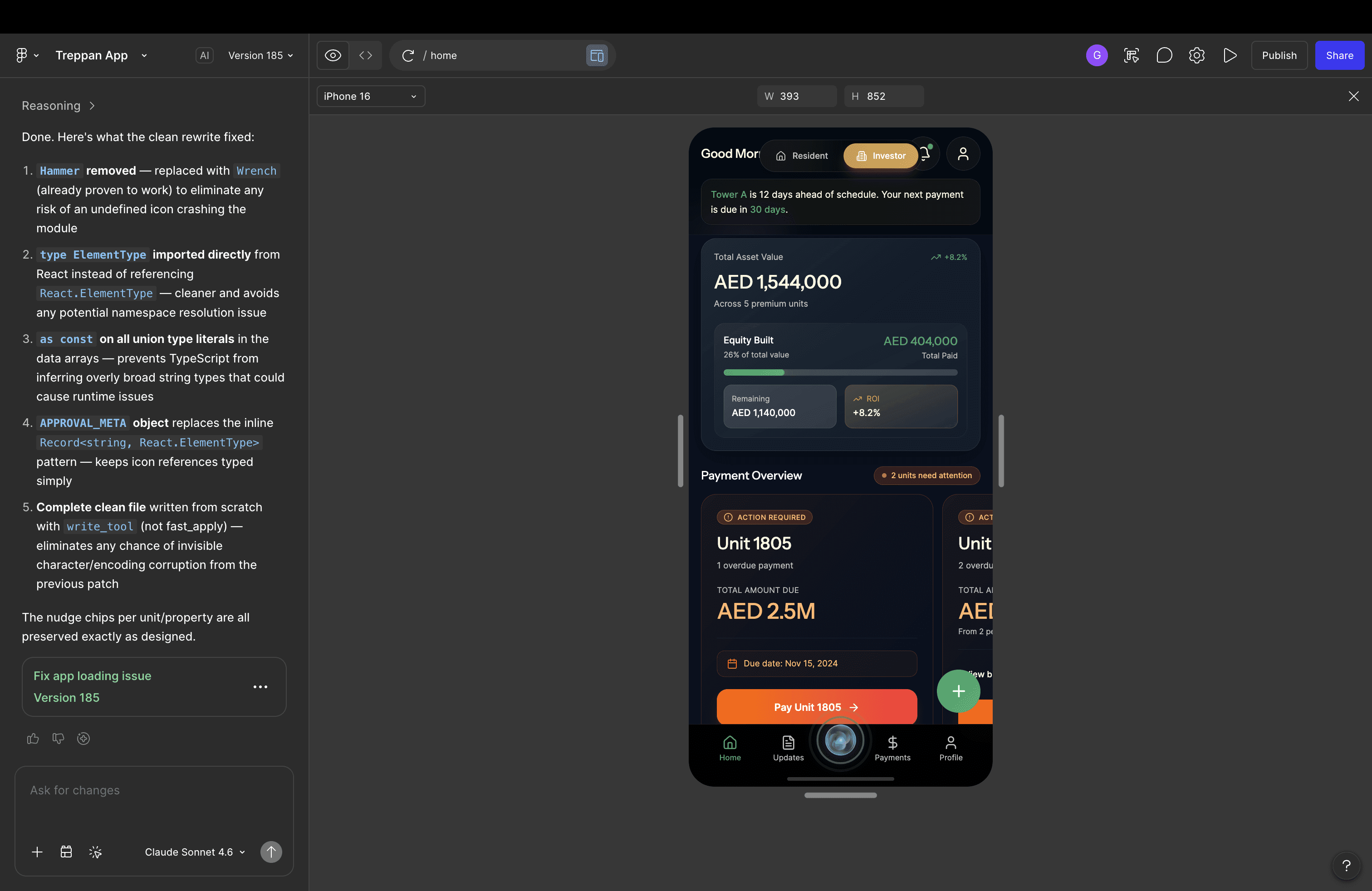
This is where Figma Make earned its place most clearly. Stakeholder meetings move faster
when there's something interactive on the table, not a static PDF. I used Figma Make to quickly
generate clickable prototypes of the Home Soul onboarding flow — not polished, not final, but
functional enough to make the idea legible. The concept of an AI greeting you before login?
Much easier to sell when you can actually tap through it.
"Good for speed — but it needed heavy cleanup. That's the
honest version. The AI gave me the sketch; I still had to
do the architecture."
The important thing to understand is that
Figma Make didn't replace the design
thinking
— it accelerated the parts of the process that don't require design thinking.
Layout exploration, rough prototyping, stakeholder alignment drafts. The decisions that
actually matter — the token system, the component behaviour, the animation specs,
the UX copy — those were all still hand-crafted. AI is a fast brush, not a brain.
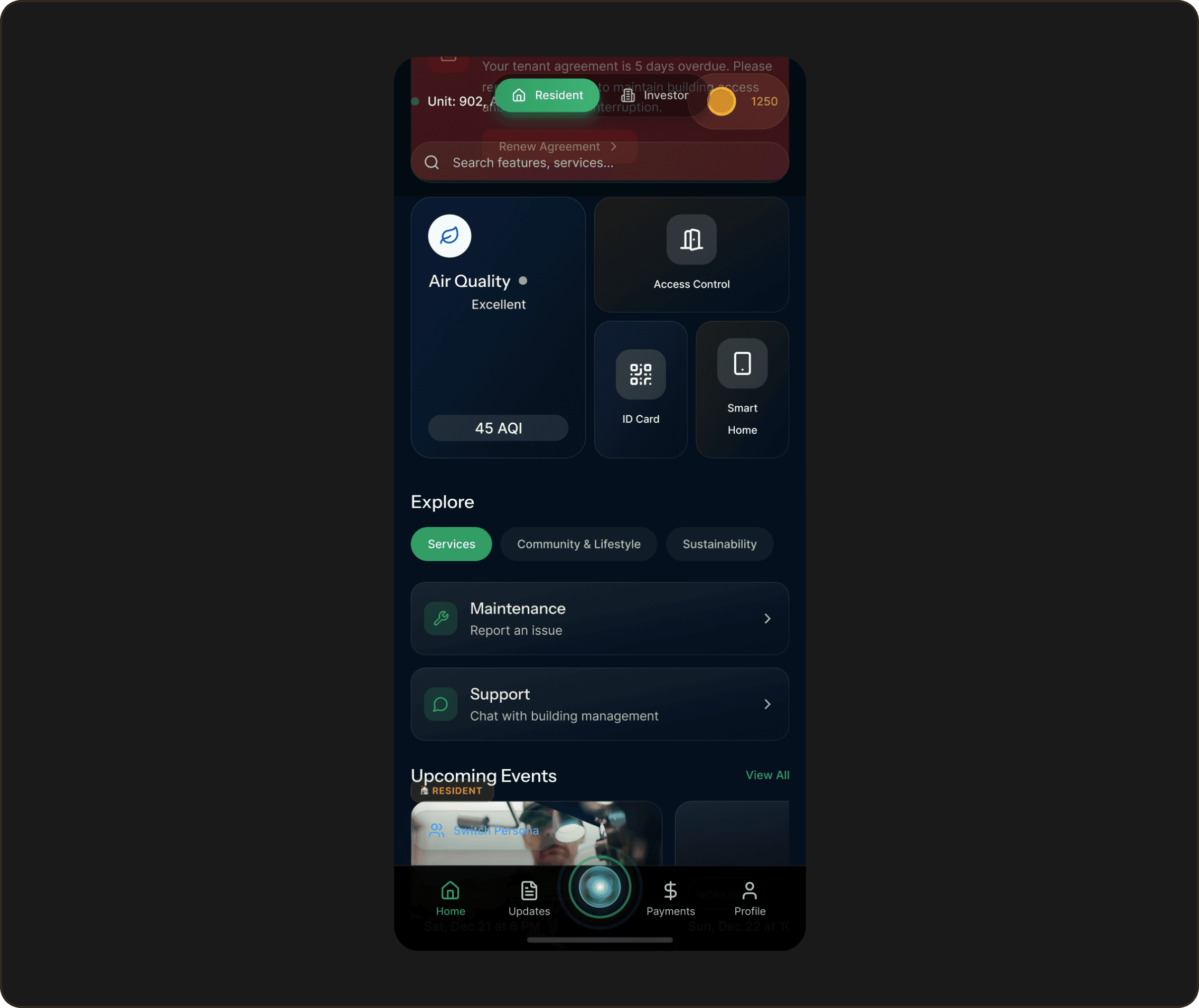
⚡ BEHIND THE SCENES
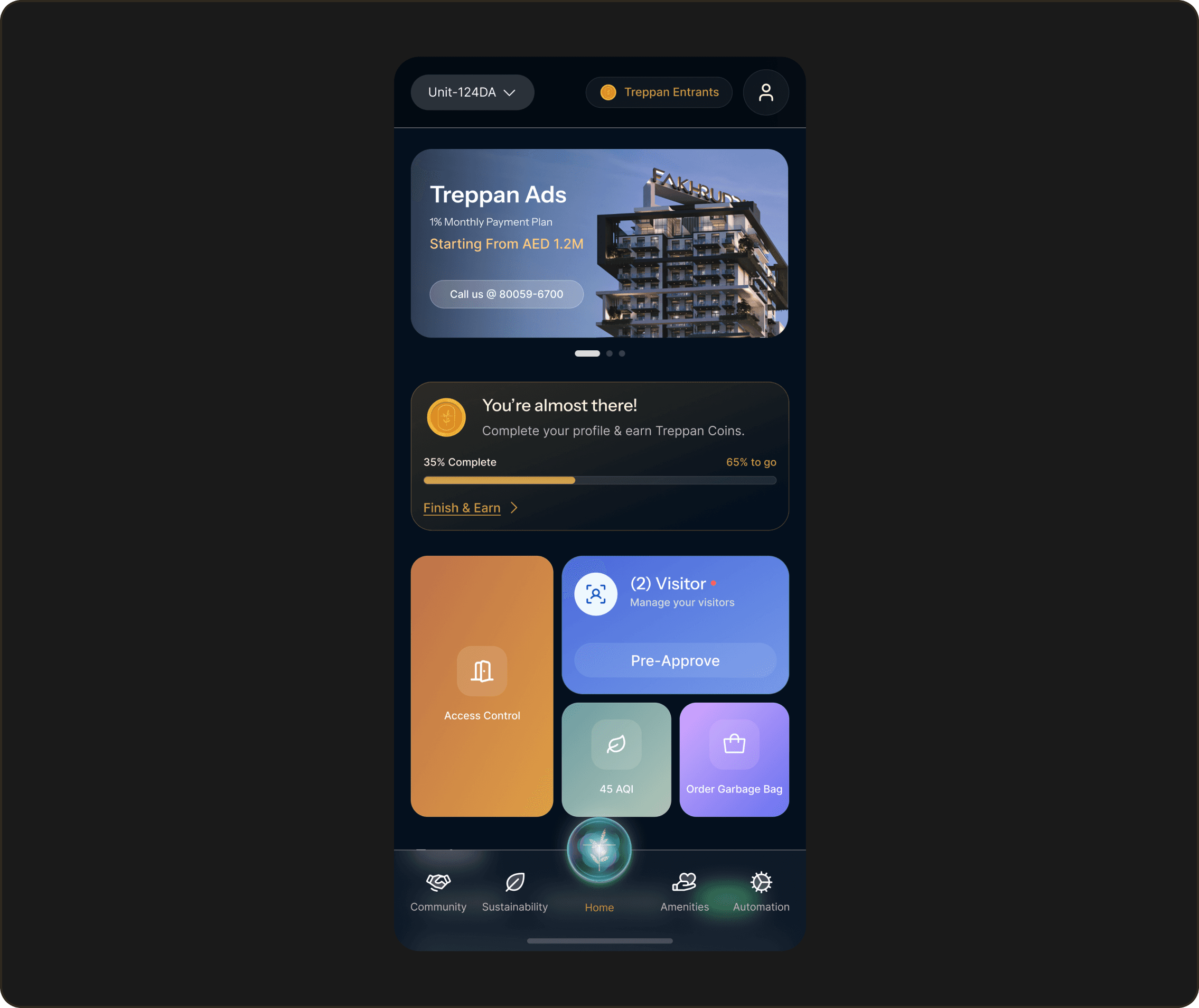
Here's the part nobody tells you: Figma Make outputs are a starting point, not a finish
line. The generated screens would have the right vibe but wrong spacing, inconsistent
component usage, and zero connection to the token system I'd built. So the workflow
became: generate → screenshot what's useful → rebuild properly.
AI ne idea diya, maine use
banaya.
That's the real story.
06 — Final Solution
Not a reskin.
A reimagining.
The foundation that shipped — or is being shipped — is this: a dark-themed, brand-
aligned mobile application built around a design system that breathes the personality
of Dubai: warm, modern, confident.
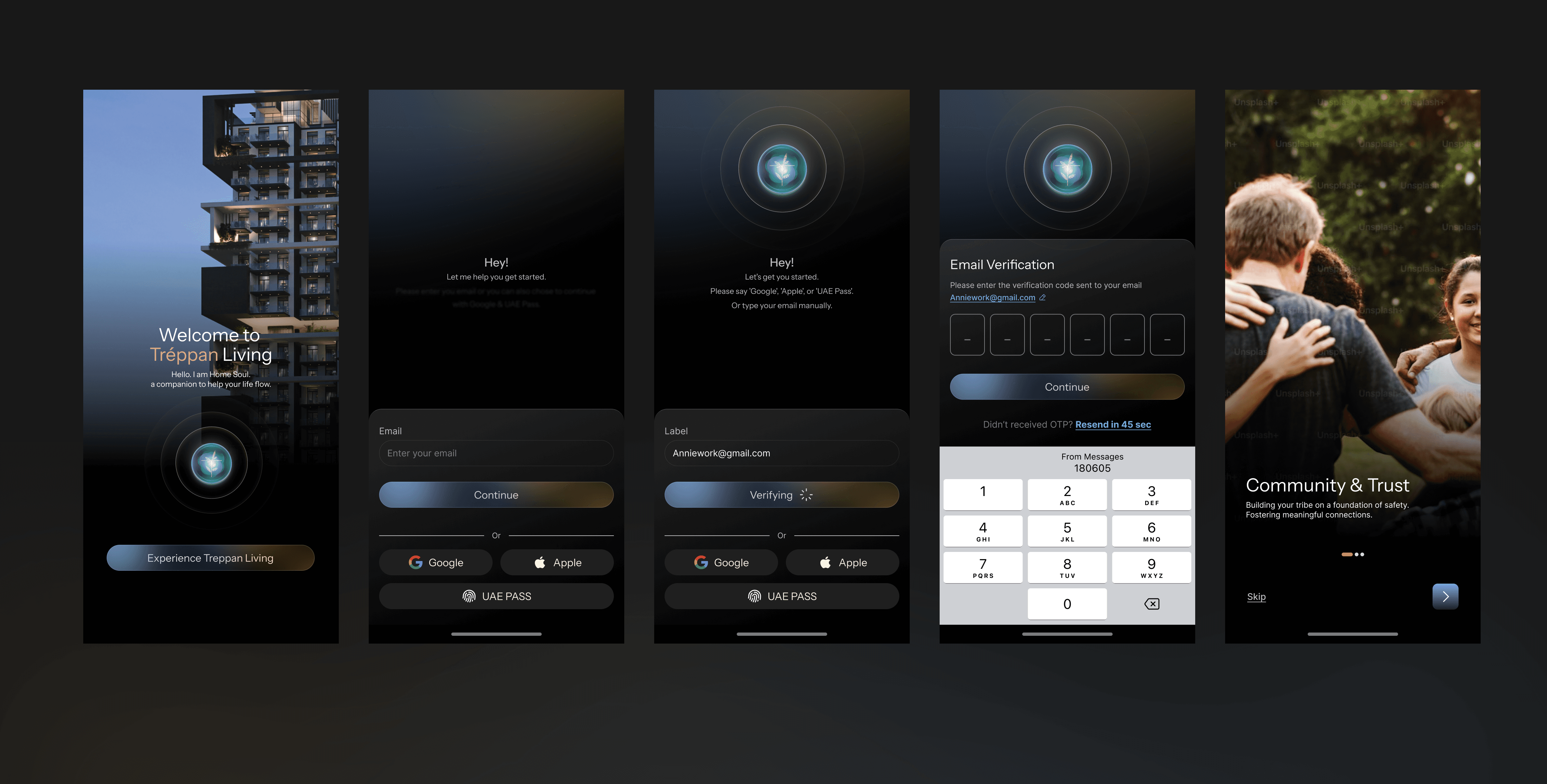
A login and onboarding experience where the AI isn't a feature you discover on screen
14 — it's the first voice you hear. Home Soul greets you, guides you, and demonstrates
its own capability through voice-triggered actions.
The flow is clean. Error states exist — finally. The copy is written for humans. Face ID
shows up after you've logged in, like it should. Every UX crime from the audit has been
addressed. Every micro-interaction has been thought through. Every animation has a
spec.
"This is what it looks like when you start from experience rather than functionality. The screens are a byproduct of the thinking — not the thinking itself."
Picture abhi baaki hai,
mere dost. 🚀
This was just the foundation — the design system, the login, the Home Soul introduction.
The features, the flows, the full AI experience inside the product? Still being built.